
A read-it-later app that brings useful ideas back.
Save an article while the context is fresh. Return when you have time, read with the source and notes beside it, then find the passage again without digging through a growing queue.
No card required · 150 notes free · source context preserved
Save a useful page while you are reading it
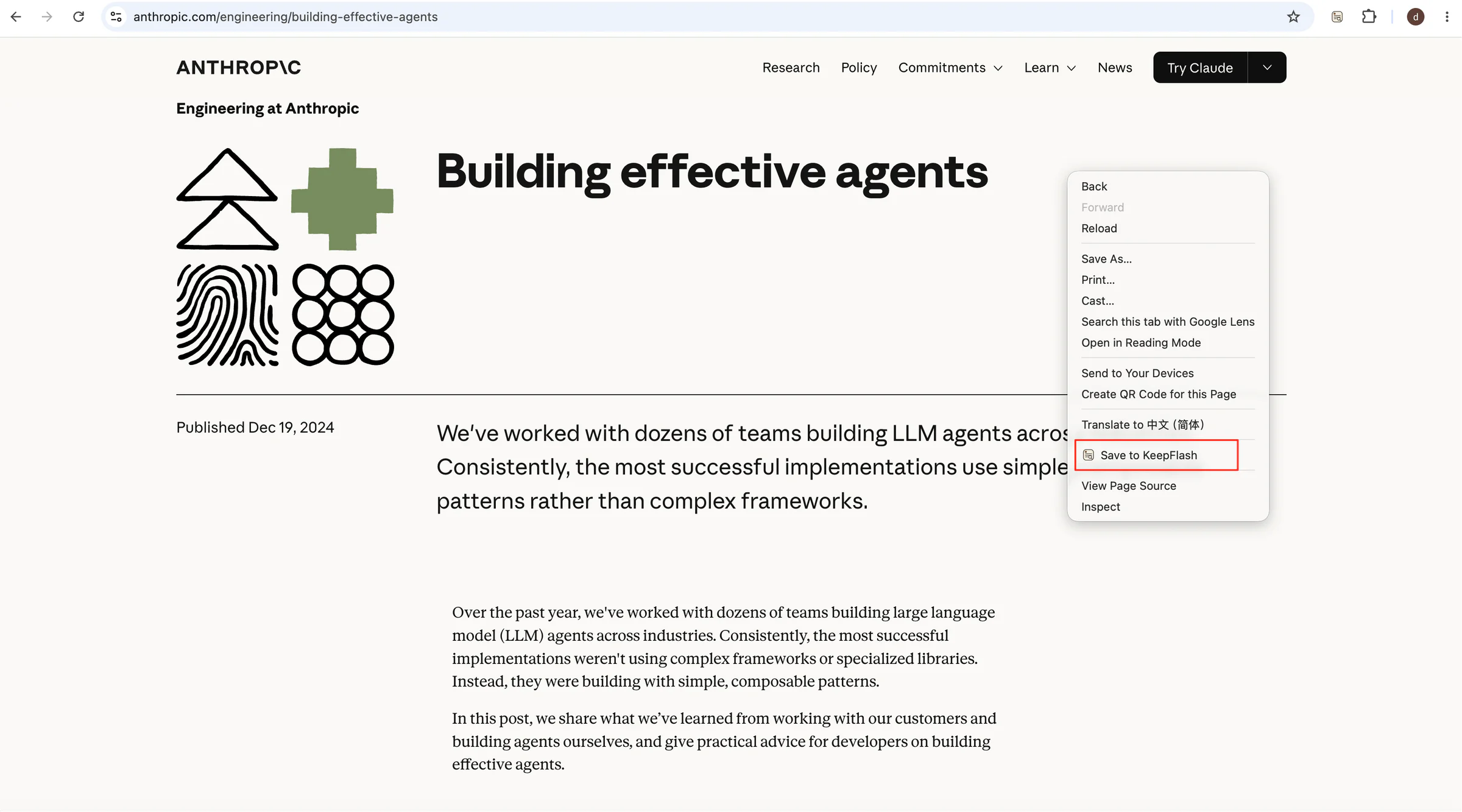
Keep the readable article and its original source together so the page is ready when you have time to return.
The passage about reliable long-running agents
Designing durable AI agent workflows
Saving for later is not the same as finding it again.
A traditional reading list remembers where a page lived. KeepFlash keeps the readable source, the context you added, and a path back when you are ready to read.
Ordinary reading list
- Only a title and URL
- A queue that keeps growing
- Folders chosen before you know what matters
- Retrieval by memory or luck
KeepFlash
- Readable content stays with the original source
- Highlights and notes stay beside the material
- PDF and video context remain available when you return
- Find the source again by an idea or passage
Save the whole source, or just the part you will use.
Use the browser extension as an AI bookmark manager that preserves the article behind the link. Save a full page, a focused excerpt, or a useful image before the tab disappears.
- Capture a full readable webpage in one click
- Keep a selected passage or page image with its source
- Save YouTube videos with transcript and chapter context
Keep the exact lines
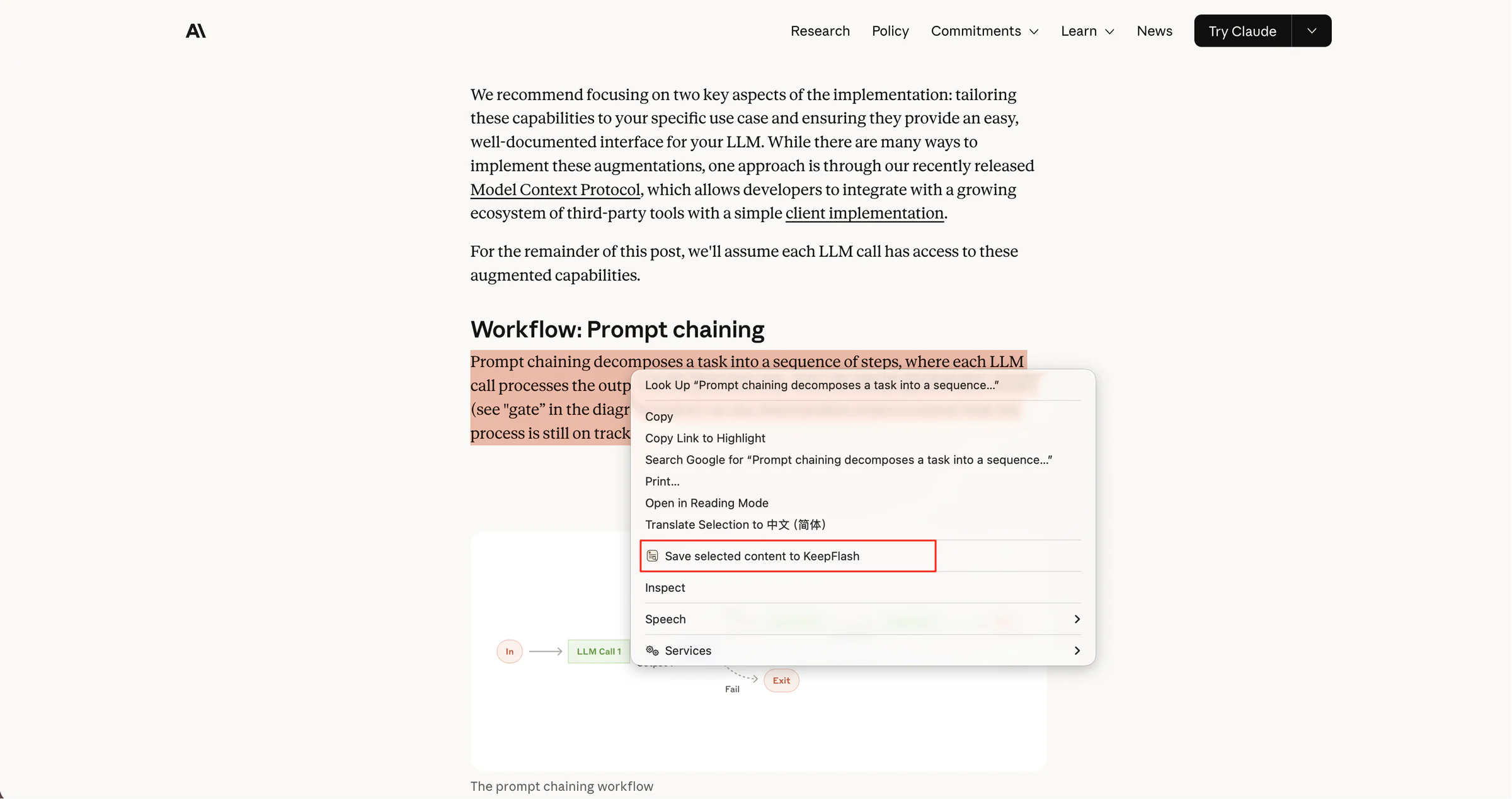
Save a focused excerpt without losing where it came from.
Keep the useful diagram
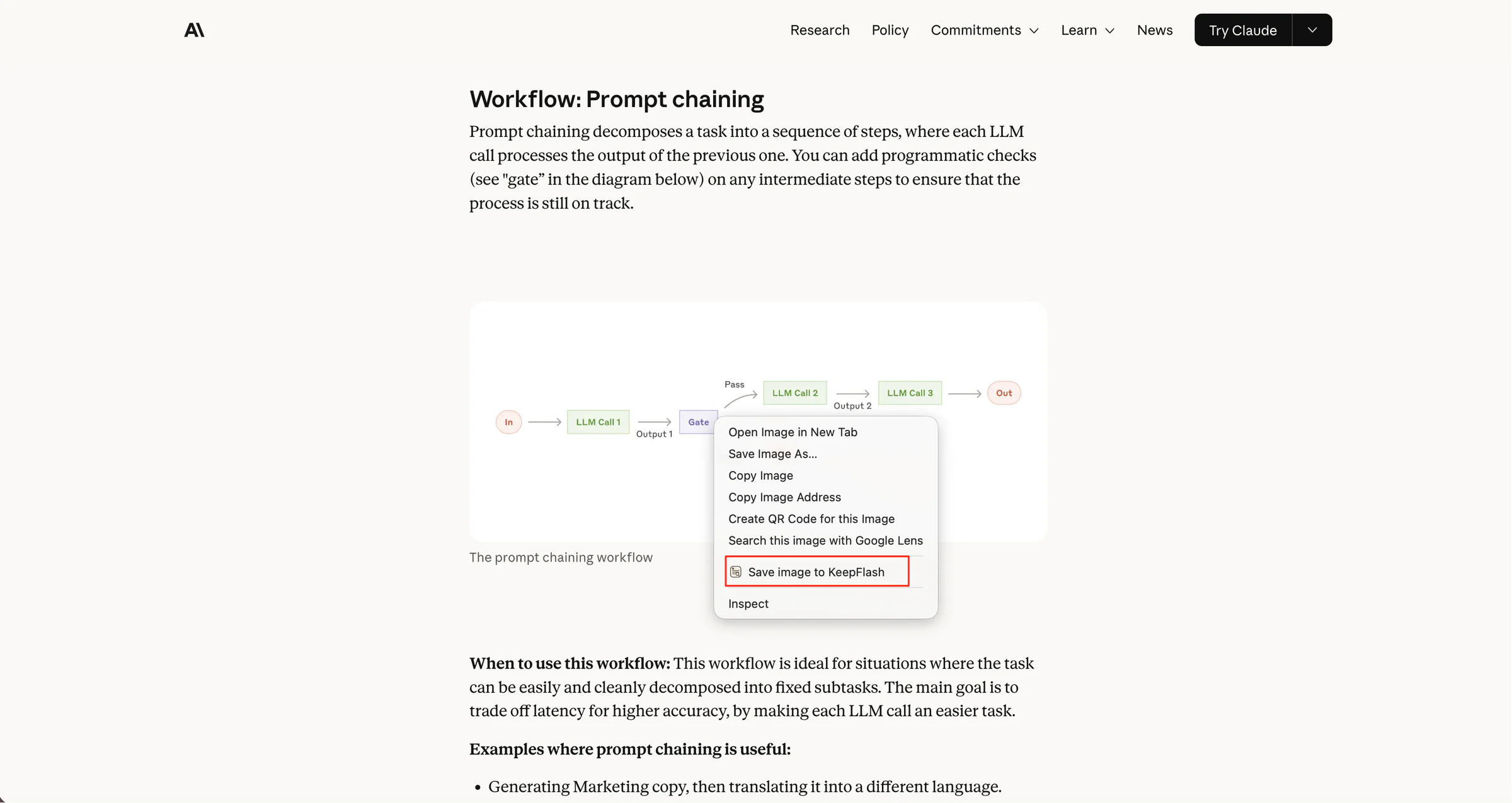
Turn a chart or page image into its own visual note.
Open PDF annotation
01 / 02 · Read with the source, highlights, and notes still connected.
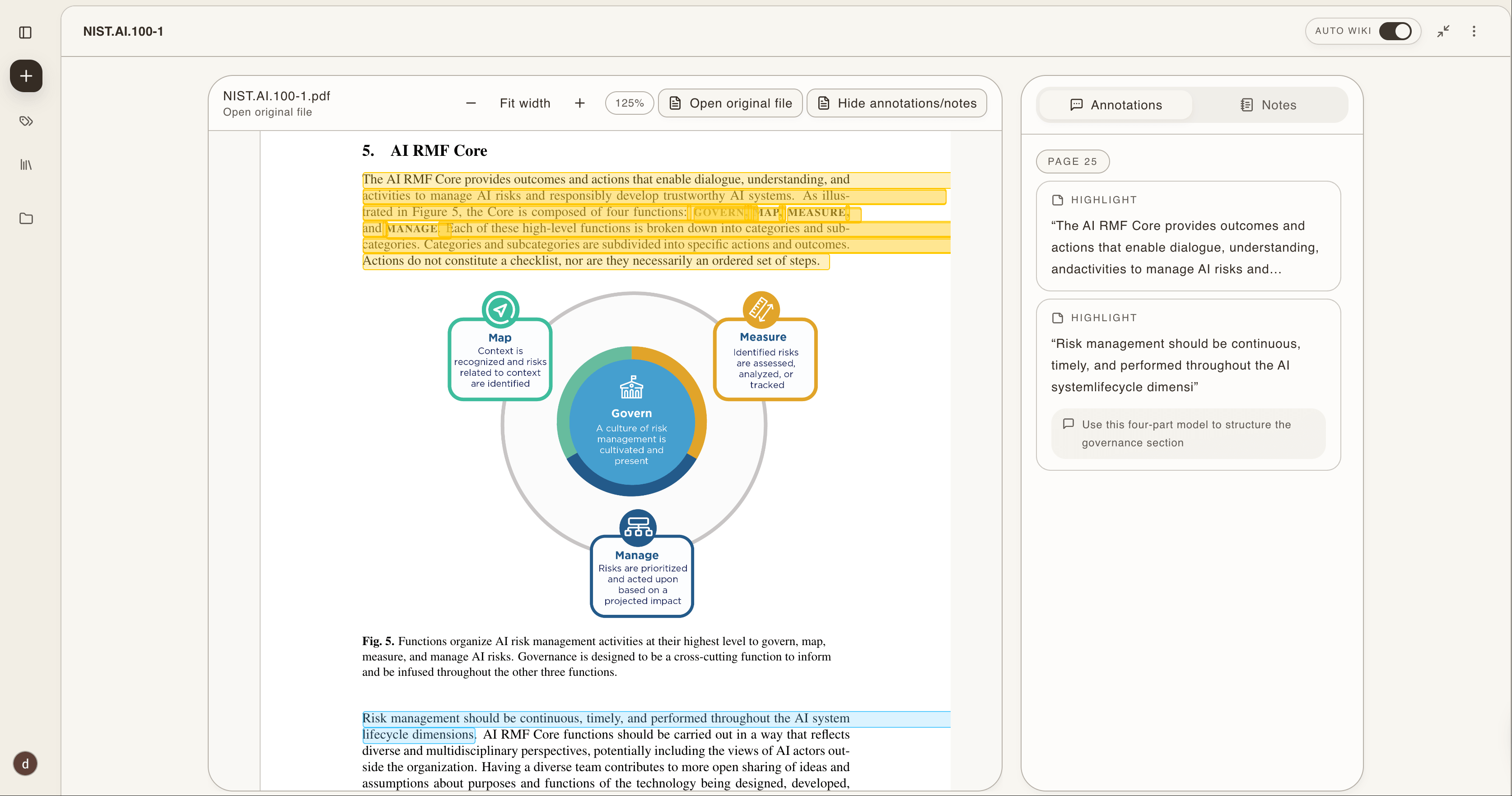
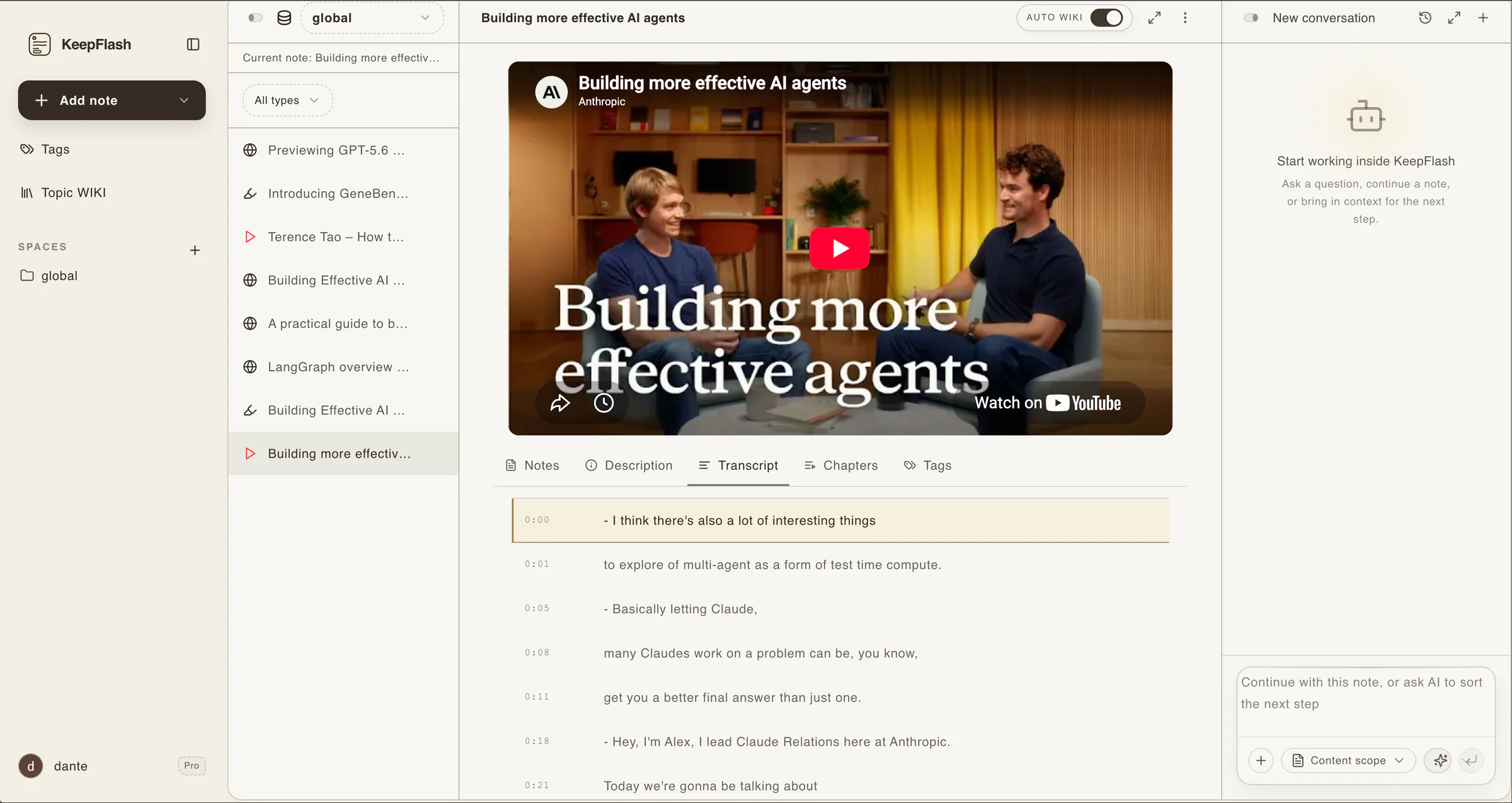
Read with the source, highlights, and notes still connected.
The source stays beside your thinking. Read a saved webpage, annotate a PDF, or revisit a video transcript without separating your notes from the material they describe.
- Keep the webpage body connected to its original URL
- Highlight and annotate PDFs beside your notes
- Return to YouTube transcript and chapter context
Find what you saved from the idea you remember.
Search saved articles by titles, readable page content, notes, PDF text, and captured video context without retracing your browser history.
- Search the idea even when the exact title is gone
- See the matching source and relevant passage together
- Return to the original item with its surrounding context
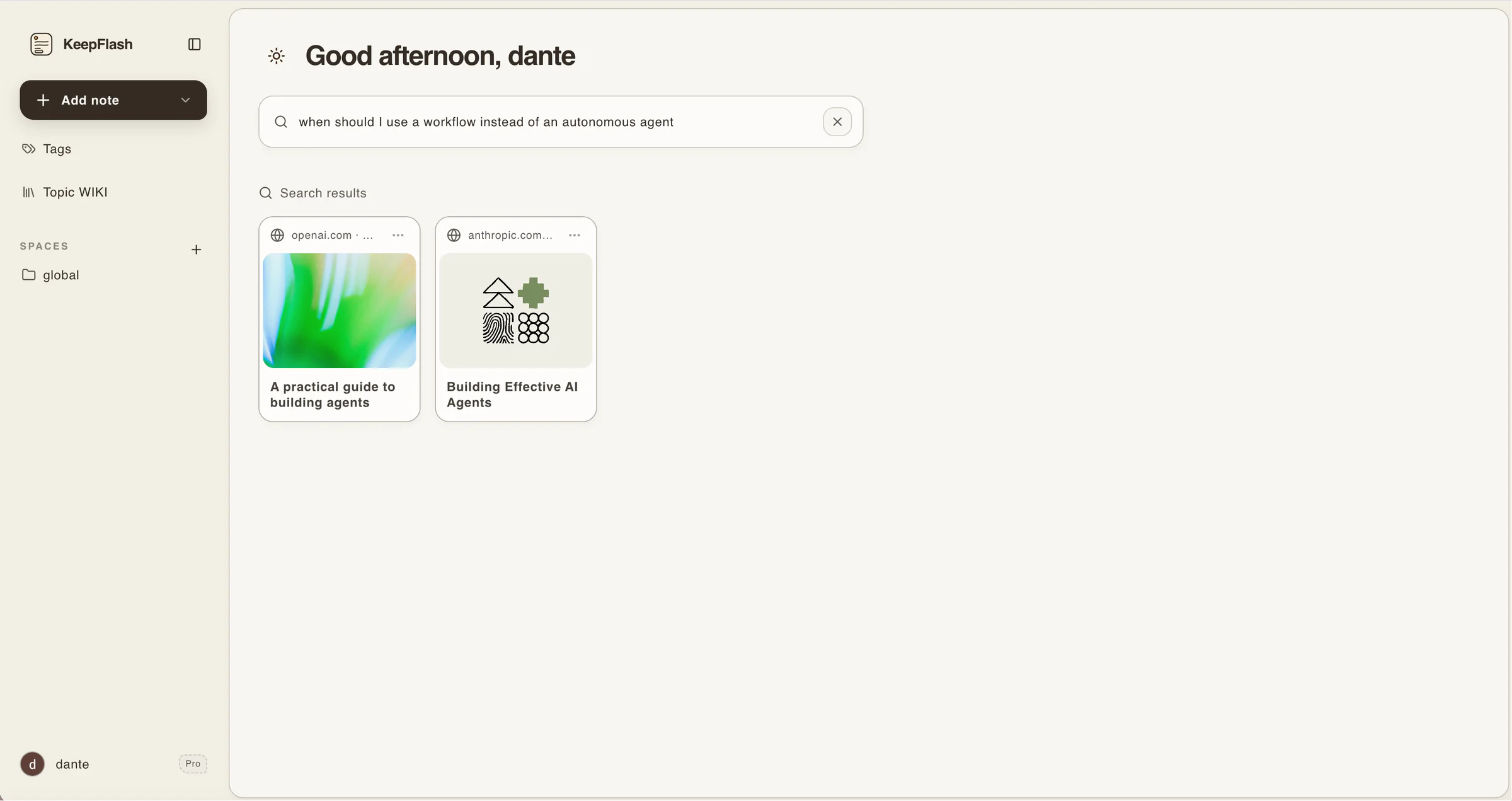
Choose a reading queue for “maybe later.” Choose KeepFlash for sources you expect to use.
KeepFlash complements browser reading lists when material deserves more than a place in the queue: readable content, annotations, and a reliable way back.
Not everything in a queue needs the same way back.
KeepFlash is for material you want to read with context and return to with the useful parts still attached.
Reading shelf
What deserves more than a saved URL
01
An article for later
Save the full readable page while browsing, then return when you have time instead of keeping another tab open.
02
A report to mark up
Read a PDF with highlights and annotations still connected to the document you may need to cite later.
03
A video to revisit
Keep a YouTube video with its transcript and chapters so the useful section is easier to return to.
Read-it-later app FAQ
What is a read-it-later app?+
A read-it-later app saves articles and other sources so you can return when you have time. KeepFlash goes further by keeping source content searchable and connected to notes, annotations, Topic Pages, and cited questions.
How is KeepFlash different from a browser reading list?+
A browser reading list is useful for a short queue. KeepFlash is for sources you expect to search, annotate, connect, or use in later work. Frequently visited destinations can still stay in browser bookmarks.
Is KeepFlash also an AI bookmark manager?+
Yes. KeepFlash keeps readable source content with saved links, suggests useful tags, helps related sources form Topic Pages, and supports search and source-grounded questions. AI assists the workflow; you remain in control of what is saved and used.
Can I read everything offline?+
KeepFlash does not currently provide universal offline reading for every saved article. Its current focus is preserving source context, searching saved material, annotating PDFs, and bringing useful sources back into your work.
Can I import Pocket, Instapaper, or browser bookmarks?+
KeepFlash does not currently provide a bulk Pocket, Instapaper, or browser-bookmark import. Keep frequent destinations in browser bookmarks, then start with the next source whose content and context you want to preserve.
Can I start with a free reading library?+
Yes. The free plan includes 150 notes, two spaces, PDF annotations, video notes, AI credits, and up to three Topic Pages. No payment card is required.
Save it now. Bring it back when the work needs it.
Start with the article you cannot finish today. Keep the source now, then return to read, annotate, and find the passage when you need it.
Start saving for freeNo card required · browser extension included
Building a broader system for your notes and sources? Explore personal knowledge management