
PERSONAL KNOWLEDGE MANAGEMENT APP
A personal knowledge management app that works before you organize it.
Capture first, then shape a personal knowledge library with editable tags, bidirectional links, Spaces, and source-backed Topic Pages. The structure grows around your work instead of blocking it.
Editable tags · Bidirectional links · Source-backed Topic Pages

01 · Topic Pages
See scattered sources become one inspectable Topic Page.
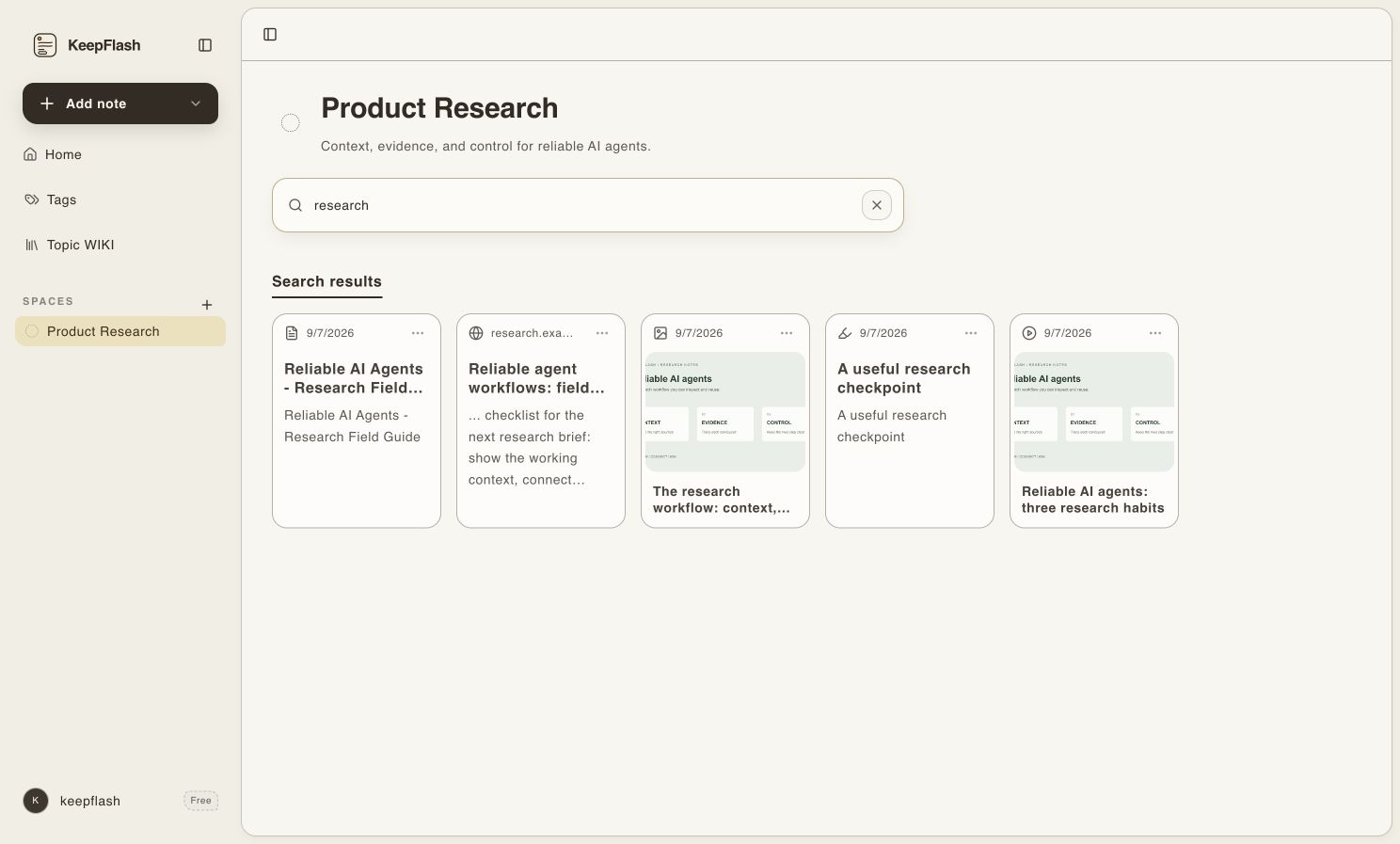
When a subject repeats across notes and sources, KeepFlash can compile it into a readable Topic Page. The page stays connected to the material behind it, so structure becomes useful without becoming a black box.
- 01
Review and control the sources included in a topic.
- 02
Move between Knowledge, Sources, and Updates.
- 03
Follow a citation to its original quotation and source note.
02 · The connection layer
Build connections without forcing every idea into one hierarchy.
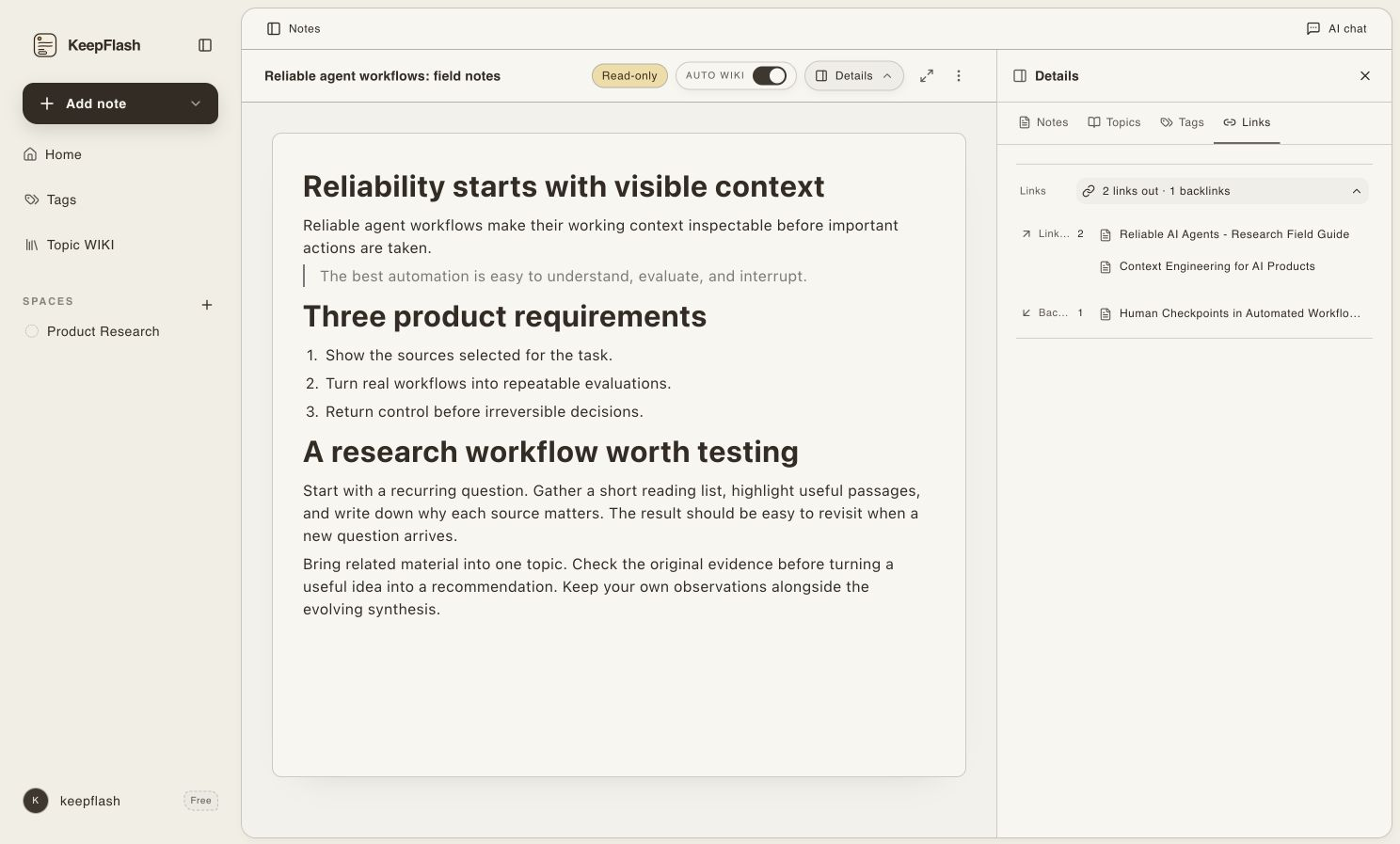
Each organizing mechanism has a distinct job. Tags keep a lightweight vocabulary, links express deliberate relationships, Spaces set stable boundaries, and Topic Pages gather repeated subjects into readable context.
- Editable tags
Use AI-assisted suggestions to reuse useful labels, then rename, merge, or remove tags as your vocabulary changes.
A lightweight structure you can inspect and correct.
- Bidirectional links
Connect one note to another explicitly and keep outgoing links and backlinks visible in both directions.
Relationships remain understandable beyond the current note.
- Spaces
Separate stable contexts such as product research, writing, learning, and private work without maintaining deep folder trees.
Clear boundaries without filing every source into a permanent path.
- Topic Pages
Let repeated subjects develop into readable, source-linked pages that can reflect new material over time.
A durable knowledge structure instead of a pile of disconnected saves.
03 · Less maintenance, more durable structure
A useful PKM system should not make you become its librarian.
Folders are valuable when a boundary is stable. The friction begins when every new source demands a permanent location, a naming rule, and a path you must remember months later.
Folder-first system
Organize before the source can enter
- Choose a permanent folder and naming convention while you are still reading.
- Maintain nested structure as interests, projects, and source types overlap.
- Remember where the item was filed before you can retrieve it.
KeepFlash
Preserve first, structure when it becomes useful
- Keep source content and origin before deciding its permanent place.
- Use AI-assisted tags, Topic Pages, Spaces, and links when a repeated pattern deserves structure.
- Retrieve from the content and meaning instead of guessing a filing path.
Folders and Spaces still help with stable boundaries such as work, study, and private projects. KeepFlash reduces the filing decisions inside those boundaries.
04 · Structure that returns to work
The structure matters when old knowledge returns to current work.
Tags, links, Spaces, and Topic Pages create more than a tidy archive. They give exact search, semantic retrieval, and source-grounded questions clearer context to work from.


AI answers may be incomplete. Because the saved notes and original sources stay linked, you can inspect the evidence and verify what matters.
05 · Long-term knowledge patterns
Build context that lasts longer than one project or reading session.
The value of personal knowledge management software is not the size of the archive. It is whether relationships between sources, notes, and decisions remain understandable when the next project begins.
An inspectable research trail
Connect reports, webpages, annotations, and working notes around a decision. Topic Pages and explicit links show how the context came together without hiding the original evidence.
Return months later and still understand which sources shaped the decision.
A source system behind recurring writing
Link themes, source notes, questions, and drafts without forcing every idea into one document. Reusable tags and Topic Pages keep the body of research coherent over time.
Begin the next draft from an existing body of context instead of rebuilding it.
Concepts connected across formats
Use links and Topic Pages to connect an idea across courses, PDFs, videos, webpages, and personal reflections. Add new understanding without erasing where each explanation came from.
Let repeated encounters form durable context instead of a pile of disconnected notes.
06 · Questions before you begin
Personal knowledge management app FAQ
What is a personal knowledge management app?
A personal knowledge management app helps one person capture, organize, connect, retrieve, and reuse information across recurring work and interests. KeepFlash combines multi-source capture, search, notes, Topic Pages, and source-linked AI answers.
How is KeepFlash different from a normal notes app?
A normal notes app usually starts with writing. KeepFlash also keeps webpages, PDFs, YouTube videos, files, images, and notes in one library, then helps you search inside the saved material and reconnect it to its original source.
Do I need to design folders and tags before I start?
No. You can save first and add structure when it becomes useful. KeepFlash can suggest tags, surface related notes, and compile Topic Pages, while Spaces and explicit links remain available when you want stable boundaries or deliberate connections. AI assists the process; it does not lock you into an automatic taxonomy.
What types of information can I save?
KeepFlash supports webpages, selected passages, page images, PDFs, YouTube video notes, uploaded files, and block-based notes. Processing depth can vary by source, so the product does not promise identical extraction from every site or file. The original source or uploaded material remains available for inspection.
Can I verify the sources behind an AI answer?
Yes. KeepFlash is designed to answer from selected saved material and keep the titles or links of supporting notes and original sources visible. AI answers may still be incomplete, so use those links to inspect the evidence and verify important claims before relying on them.
Begin with one active project
Build a knowledge system around the work you already do.
Add sources and notes without choosing a permanent hierarchy. Connect the patterns worth keeping, and let the structure stay understandable as the project grows.
No card required · Start with 150 notes