
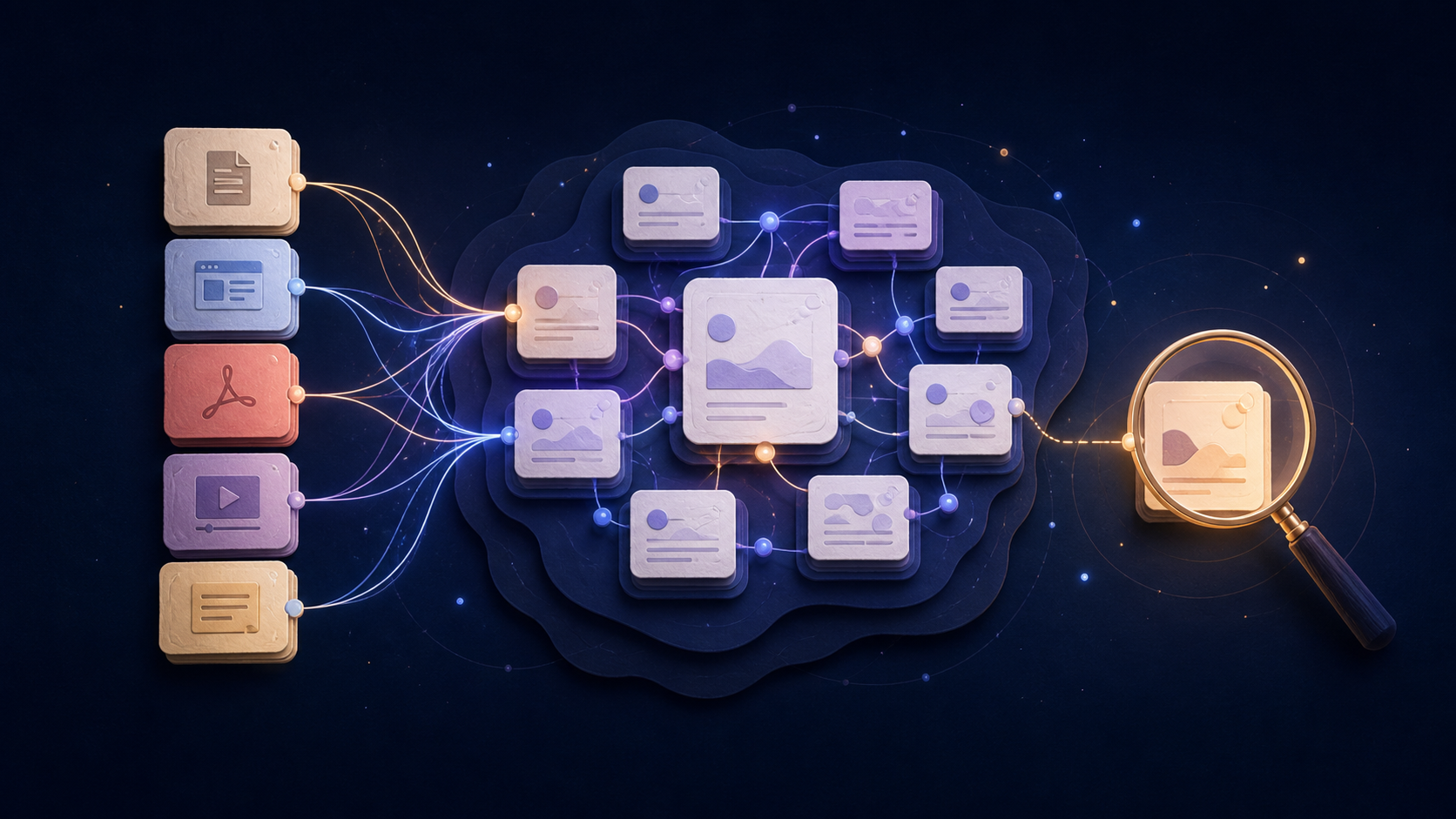
If your notes are useful only when you remember their exact title, folder, or tag, you do not have a knowledge system yet. You have storage.
An LLM Wiki is a pattern—not a single product—in which an LLM turns immutable, human-curated sources into a persistent, linked wiki and helps keep it updated. The term is closely associated with Andrej Karpathy’s original LLM Wiki note, which describes a personal wiki that accumulates as new material arrives.
That does not mean handing every document to an AI and trusting whatever summary appears. A useful LLM Wiki keeps three things together: the source, the structure built from it, and a way to question or correct that structure later.
For researchers, writers, students, and people who routinely save information for future work, that distinction matters. The goal is not a more elaborate notes app. The goal is to make today’s reading useful when you need to make a decision next month.
What is an LLM Wiki?
An LLM Wiki is a knowledge base that an AI helps maintain as you add material. Instead of leaving every article, PDF, video, and note as an isolated item, the system can surface recurring people, ideas, questions, and themes.
The important word is persistent. A good implementation does not merely answer one question and discard the work. It creates an artifact you can revisit: a topic page, linked notes, a summary with source context, or another visible form of organization.
Karpathy’s proposed version has three layers:
| Layer | Role |
|---|---|
| Raw sources | Human-curated material that remains immutable and stays the source of truth. |
| Wiki | LLM-generated, interlinked pages for entities, topics, synthesis, and cross-references. |
| Schema | The working rules that tell the agent how to read, update, link, and cite the material. |
The layers matter because they separate evidence from interpretation. The AI can make the wiki easier to navigate without silently rewriting the original material.
In practical terms, an LLM Wiki workflow looks like this:
- Save source material worth keeping: articles, PDFs, videos, documents, and notes.
- Let related material gather around a topic instead of filing every item by hand.
- Read the topic-level synthesis when you need orientation.
- Open the underlying sources when a claim matters.
- Add new material and improve the picture over time.
This is why the idea appeals to people whose research keeps growing. The output is not only another chat transcript. It is a navigable record of what you have learned and where it came from.
The complete loop: ingest, query, and lint
In Karpathy’s pattern, the wiki stays useful through three repeated operations:
- Ingest: add one source at a time, extract what matters, and update the relevant pages and links.
- Query: answer from the wiki and sources, cite the evidence, and save valuable answers back into the system when they improve it.
- Lint: periodically look for stale claims, contradictions, orphan pages, missing links, and unanswered questions.
You do not need an agent setup to adopt the habit. In a no-code workflow, ingest means saving and connecting source material; query means checking a topic before asking for an answer; lint means revisiting important topics when new evidence arrives. The point is not to automate every step. It is to give knowledge a way to improve instead of quietly decaying.
LLM Wiki vs RAG: What's the difference?
RAG, short for retrieval-augmented generation, is useful when you need an AI to find relevant passages from a collection and answer a question. A typical document-RAG interaction begins with the raw collection each time: retrieve chunks, generate an answer, and move on.
A Karpathy-style LLM Wiki adds a maintained layer between the raw material and the question. It can turn repeated research into topic summaries, linked concepts, and useful paths back to source material.
| Typical document RAG | Karpathy-style LLM Wiki | |
|---|---|---|
| Main job | Find relevant source passages for a question | Build and maintain useful structure from sources |
| What persists | Source collection and retrieval index | Source collection plus a maintained wiki artifact: topics, links, and synthesis |
| Best at | Fast question answering | Research that should become easier to reuse |
| Main risk | A good answer can disappear into chat history | A weak summary can become stale unless you review it |
This is not an either-or choice. A strong personal knowledge system still needs retrieval. The difference is that a wiki gives recurring material somewhere to accumulate, rather than making you rediscover the same connections in every conversation.
The part that matters: sources stay inspectable
An AI-generated topic page is only useful if you can check it. Summaries can omit a condition, join two similar ideas too quickly, or preserve an error from one weak source.
Treat the wiki as a working map, not a final authority. Keep the original URL, PDF, video, or note close enough to open when you need to verify a claim. This is especially important for research that informs a recommendation, product decision, or published work.
The most durable workflow is simple:
- Save the source before writing the conclusion.
- Use AI to identify patterns, not to hide uncertainty.
- Keep source titles and links visible beside the synthesized view.
- Revisit a topic when new evidence changes the answer.
A no-code way to start an LLM Wiki workflow
You do not need to build a local Markdown repository, configure an agent, or design a perfect taxonomy before you begin. Start with one live question you expect to return to.
For example, imagine you are researching a new market:
- Save competitor pages, customer interviews, reports, videos, and your own notes in one place.
- Search across the saved material when you remember an idea but not its source.
- Let closely related material form a topic rather than deciding every folder and tag up front.
- Use the topic as an orientation page, then open the original notes before relying on a detail.
- Ask a question only after selecting the relevant material, so the answer remains tied to the research you saved.
KeepFlash supports this kind of workflow as a personal knowledge library. You can save webpages, PDFs, YouTube videos, files, images, and notes; search the material later; and use Auto Wiki to organize related saved material into Topic Pages. The original material remains available, so the topic page is a starting point for review rather than a black box.
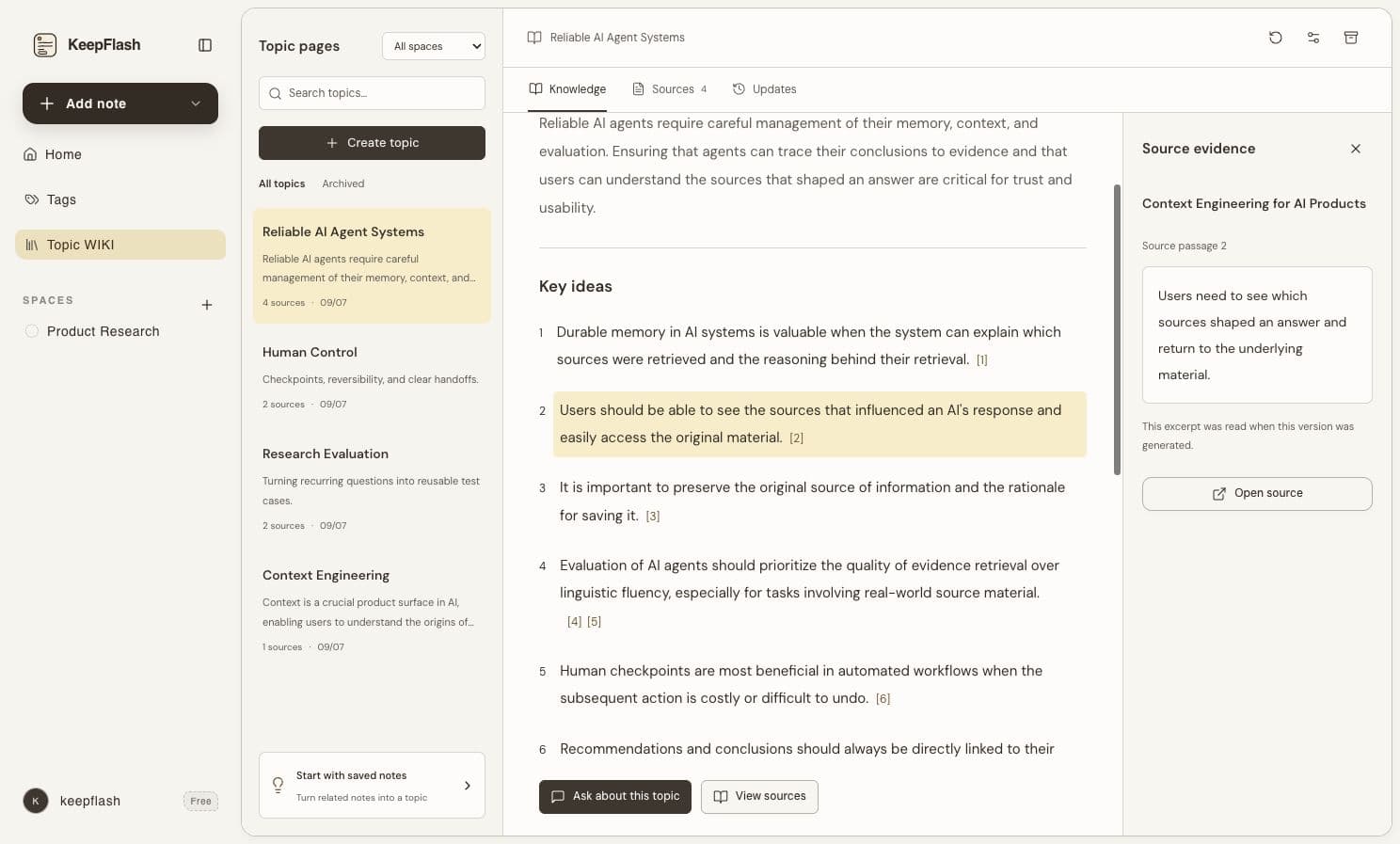
In the current Wiki, read the topic in Knowledge and click a citation to inspect Source evidence. Open Sources to review the included notes, pin a useful source, or exclude one from the topic.
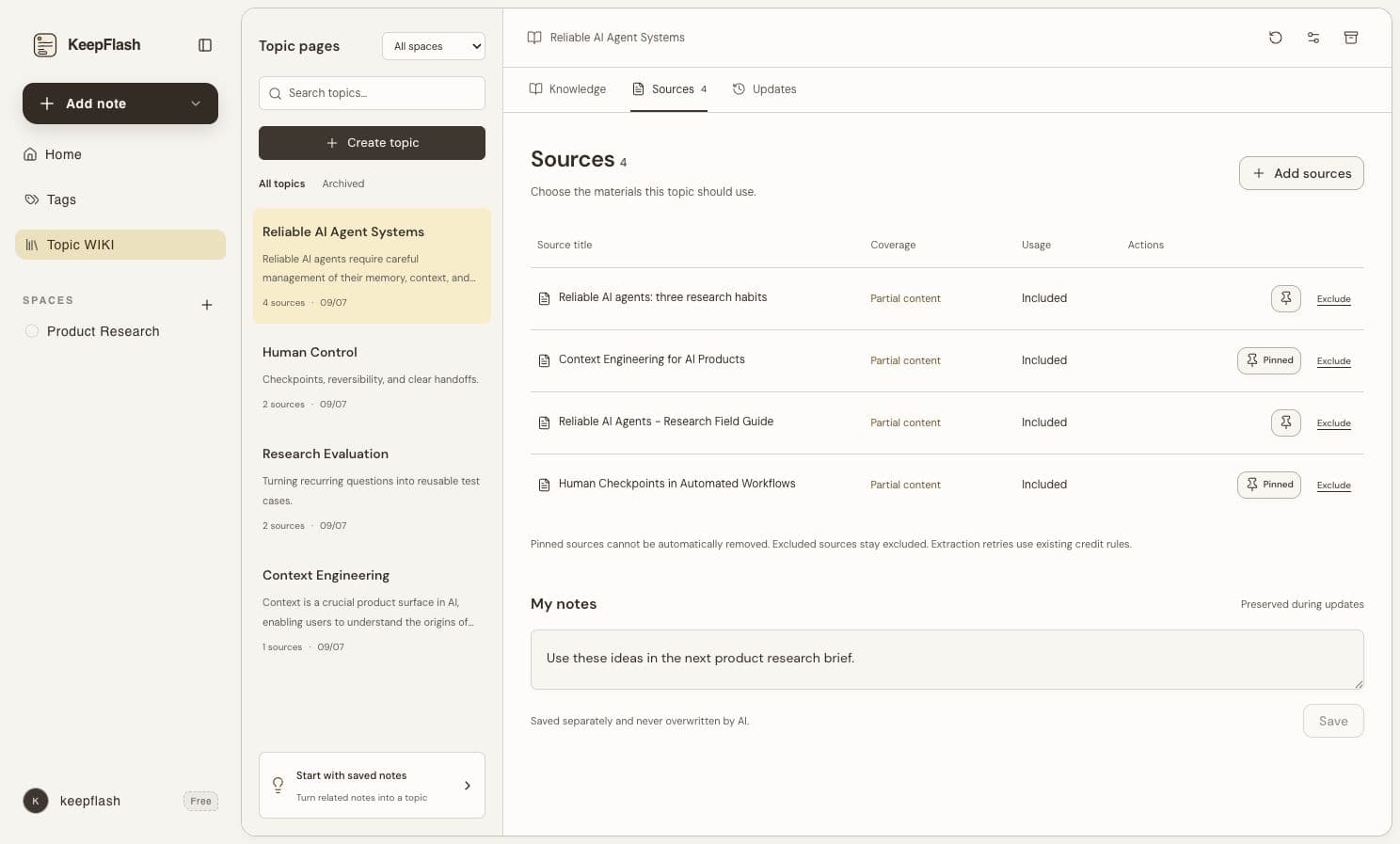
KeepFlash is not a literal, local Markdown-based LLM Wiki. It is a no-code way to apply the useful part of the idea: turn scattered sources into visible, reusable topics without creating another system you have to maintain by hand.
When an LLM Wiki is worth the effort
This approach works best when information returns to your work more than once. You might be:
- Writing about a subject over several weeks
- Comparing products or vendors
- Following a fast-moving industry
- Studying from papers, lectures, and reference material
- Collecting evidence for a project, proposal, or decision
It is less useful for material you will read once and forget on purpose. Not every bookmark deserves a topic page. Start with the sources that are likely to affect future thinking.
Build a knowledge base that gets easier to use
The promise of an LLM Wiki is not that AI will organize your life perfectly. It is more practical: useful research should not return to zero every time you need it.
Save sources that matter, let related material become visible, and keep a path back to the evidence. If you want a lightweight place to test that workflow with real material, create a free KeepFlash library and begin with one question you are already working on.
Frequently asked questions about LLM Wiki
What is an LLM Wiki?
An LLM Wiki is a persistent, linked knowledge base that an AI helps build and maintain from source material. Rather than treating every question as a fresh search over raw documents, it turns useful information into pages and connections that can be reviewed and improved over time.
How is an LLM Wiki different from RAG?
RAG retrieves relevant source chunks when you ask a question. An LLM Wiki adds a maintained knowledge layer: the system turns sources into durable topics, entities, summaries, and links. They can work together; a wiki still needs source retrieval and review.
Can I use an LLM Wiki without writing code?
Yes. The important part is the workflow: save trustworthy source material, let related material form visible topics, and keep a way to inspect the original source. A no-code tool can support that workflow without requiring a local Markdown repository or an agent setup.
Is KeepFlash a literal Markdown-based LLM Wiki?
No. KeepFlash is a no-code personal knowledge library. Its Auto Wiki feature organizes related saved material into Topic Pages, while the original webpages, PDFs, videos, and notes remain available for review.
dante builds KeepFlash and writes about read-later, research, and personal knowledge workflows.